






chevron_left
chevron_right

Advertising [Product3rdColumn]
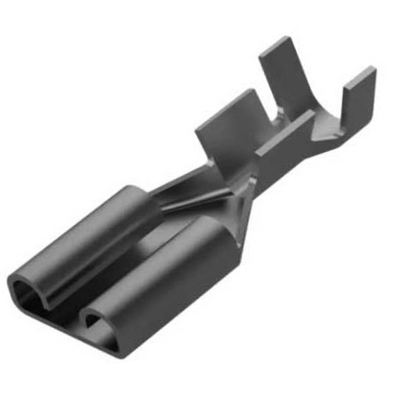
Faston Pack 100 Units Female Electrical Terminal 63Mm Standard
FASTON DE METAL NIQUELADO- Faston llano 6,3 mm. Para sección cable de 1 a 2,5 mm. Temperatura máxima +300°C

Advertising [ProductAdditionalInfo]
Change Swich Dishwasher Button Disconnect The Power Supply To The Bosch Dishwasher By Activating The Main Switch To "No" In The Electrical©Switch Box. Â ? Open The Dishwasher Door And Locate The Torx Screws Along The Top Of The Dishwasher Door To Allow Access To The Control Panel. ? Loosen The Two Screws On The Top Of The Door And The Two Screws On The Side Of The Top Panel. Use A Torx Screwdriver To Remove The Screws. ? Lift The Door As If You Were Closing And Then Lift The Control Panel Cover And Pull It Out Of The Door. It Will Not Separate Completely While The Cables Are Still Connected. ? Disconnect The Cables And Tape That Goes To The Control Console Board By Pulling Them Out Of The Console. The Control Console Dashboard Runs The Length Of The Dishwasher And Includes The Buttons And The Plate Control Panel. ? Press The Tabs On The Sides Of The Control Console Plate With A Flathead Screwdriver. ? Pull The Control Console Plate Out Of The Door. ? Insert The New Control Console Plate And Push Down Until The Tabs Snap Into Place. ? Reconnect The Cables And Tape From The Dishwasher, Pushing Back Into Place. Â ? Reverse The Steps To Screw The Control Console Plate Into Place On The Dishwasher Door.

LF3051010
feedback Report comment