







Advertising [Product3rdColumn]
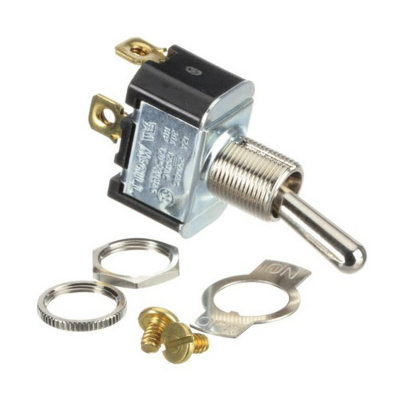
Single-pole lever switch 16A 250v Standard
Single-pole lever pushbutton switch 16A 250v standard threaded connection M12x1 ON-OFF function MODEL: CAPIC, PITCO FRIALATOR. C.O. E053510, P5047162.
IMPORTANTE: No se aceptan devoluciones de compresores ni unidades condensadoras. Asegúrese que producto necesita antes de realizar su compra.

Change dishwasher switch button. Disconnect power to the Bosch dishwasher by switching the main breaker to "No" in the electrical switch box. Open the dishwasher door and locate the Torx screws along the top of the dishwasher door to allow access to the control panel. Loosen the two screws at the top of the door and the two screws on the side of the upper panel. Use a Torx screwdriver to remove the screws. Lift the door as if closing it and then lift the control panel cover and pull it out of the door. It will not separate completely while the cables are still connected. Disconnect the cables and ribbon going to the control console plate by pulling them out of the console. The control console board runs along the dishwasher and includes the buttons and control panel board. Press the tabs located on the sides of the control console plate with a flathead screwdriver. Pull the control console plate out of the door. Insert the new control console plate and push down until the tabs lock into place. Reconnect the cables and ribbon of the dishwasher, pushing them back into place. Reverse the steps to screw the control console plate back into place on the dishwasher door.

feedback Report comment